
Written by: Ali-Reza Adl-Tabatabai, Founder and CEO, Gitar
Key Takeaways for Cutting Review Noise
- AI coding tools have increased pull request volumes by 108% and review times by 91%, which creates severe notification overload.
- Code review notification fatigue costs teams about $1M annually in lost productivity from context switching and manual fixes.
- Small PRs, automated linting, draft PRs, and batched reviews together can cut notification volume by 70–80%.
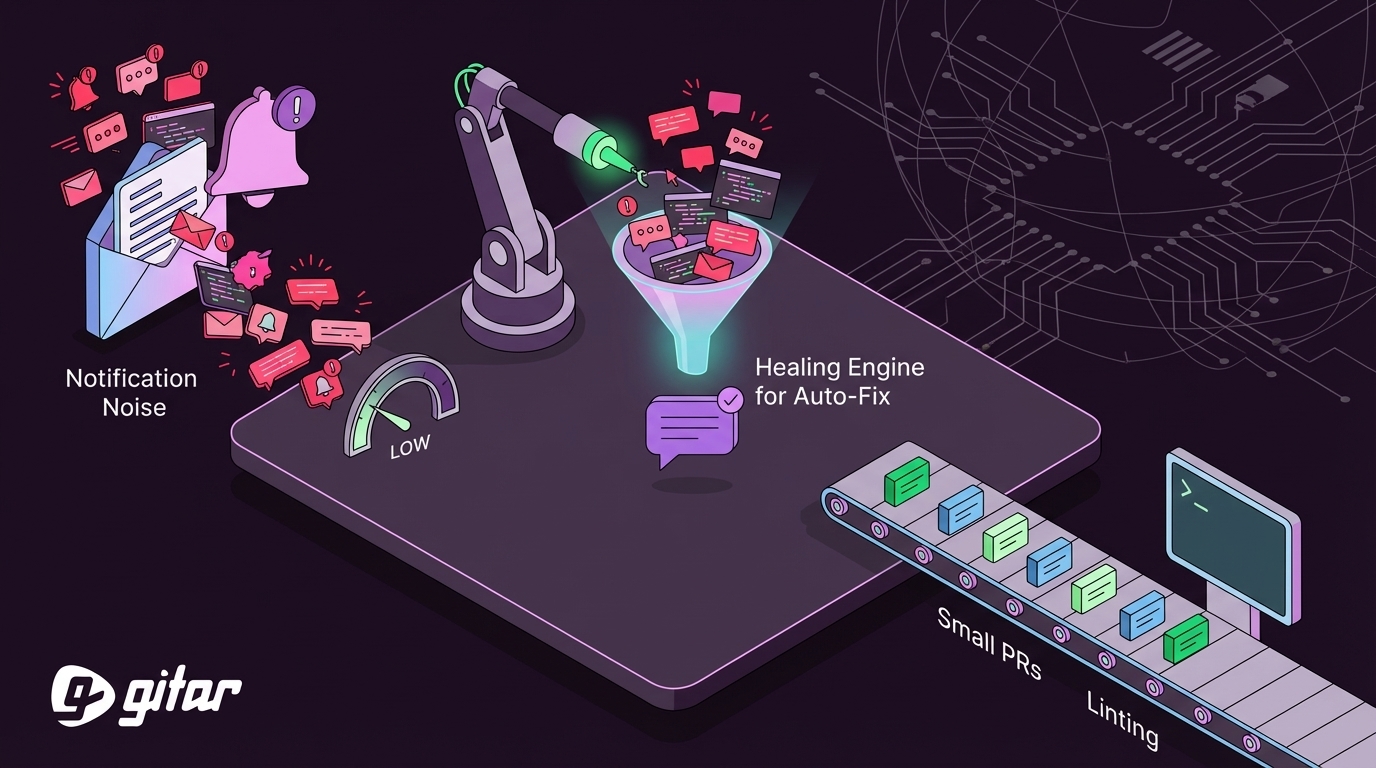
- Gitar’s healing engine auto-fixes CI failures and review issues through a single updating dashboard comment, which removes spammy threads.
- Teams using Gitar reclaim 45 minutes daily per developer; start your free trial to measure your team’s ROI and scale with less noise.
The Problem: Notification Overload After the AI Coding Boom
Salesforce experienced a 30% increase in code volume due to AI-assisted coding tools, with pull requests often spanning more than 20 files and 1,000 lines of change.
Jellyfish engineers using AI tools averaged 38.2 pull requests per developer in 53 days, compared to 18.4 for non-users. More code means more PRs, more CI failures, more review cycles, and exponentially more notifications.
Second Talent’s 2026 report found AI-generated code has 1.7x more issues and 1.75x more logic errors than human-written code, which amplifies the review burden.
Developers report losing about 1 hour daily to notification management and context switching. Stalled code review processes cause compounding problems including costly context switching for developers waiting on feedback and blocked work from large idle changes.
Traditional code review tools often flood PRs with inline comments and suggestions that still require manual implementation. State-of-the-art automated code review agents collectively solve only around 40% of issues in real-world scenarios, which leaves developers to manually fix the remaining 60%. This gap between detection and resolution is where notification fatigue becomes most painful, because alerts keep coming while fixes still require manual effort.
The Solution: Gitar’s Healing Engine for Auto-Fix Without Spam
Gitar directly tackles both notification volume and the manual fix burden. Unlike suggestion-based tools that charge $15–30 per developer for comments, Gitar’s healing engine automatically resolves CI failures and implements review feedback.

|
Capability |
CodeRabbit/Greptile |
Gitar |
|
Auto-apply fixes |
No |
Yes |
|
CI failure analysis |
No |
Yes |
|
Single comment |
No (inline spam) |
Yes (updating) |
|
Green build guarantee |
No |
Yes |
Teams report productivity gains from 1 hour to 15 minutes daily per developer on CI and review issues. Gitar can be configured to add only a single comment per PR with no inline comments, a capability no other tool on the market has. Start your 14-day trial to experience automated fixes that actually work.
Step 1: Enforce Small PRs to Minimize Review Cycles
Promoting smaller, focused pull requests is the single most impactful change for speeding up reviews, improving understanding, and reducing merge risk. Aim for fewer than 400 lines of code per PR to reduce notification volume and review complexity.
Implementation tactics require both technical controls and team education. Start by establishing PR templates that explain and enforce size limits, so developers see expectations before opening a PR. Add branch protection rules that block oversized PRs at the platform level, which creates a clear enforcement mechanism. For changes that naturally exceed size limits, use feature flags to break large changes into incremental releases that merge safely behind toggles. Train teams on atomic commit practices so developers understand why small PRs matter and how to structure their work.
Gitar still helps when large diffs slip through by surfacing the most critical issues first, which reduces cognitive load even when PR size discipline breaks down.
Step 2: Automate Linting and Pre-Commit Hooks
Lack of automated checks forces reviewers to waste time manually reviewing style details or catching bugs that linters could flag on their own. Well-configured pre-commit hooks catch about 40% of common issues before they ever create review notifications.
Effective pre-commit setups combine formatting, linting, security, and quick tests. Use code formatting tools such as Prettier, Black, or gofmt to standardize style automatically. Pair them with linting rules through ESLint, Pylint, or golangci-lint to catch common logic and style problems. Add security scanning with tools like Semgrep or Bandit to flag risky patterns early. Run targeted tests for modified files so obvious breakages never reach CI.
Gitar extends this approach by automatically fixing lint failures and formatting issues in CI, which removes the back-and-forth over trivial corrections.
Step 3: Configure GitHub or GitLab Notification Filters and Batching
Platform-level notification management cuts inbox noise while preserving critical updates. GitHub provides granular notification controls for different alert types, and similar options exist in GitLab.
Use filters that focus attention on work that truly needs you. Enable notifications only for direct @mentions and explicit review requests. Turn off notifications for draft PRs and automated dependency updates that rarely need immediate action. Batch email notifications to two or three digests per day instead of real-time pings. Add custom notification rules that prioritize critical repositories and de-emphasize low-risk ones.
Step 4: Use Draft PRs for Work-in-Progress
Draft PRs reduce premature notification spam while still allowing early feedback. Keep PRs in draft until they pass automated checks and are ready for human review. Teams with iterative development workflows often see about a 30% drop in notification volume from this habit alone.
Adopt a few simple practices. Default new PRs to draft status so work-in-progress does not trigger full review flows. Require passing CI before marking a PR as ready for review. Use draft status for experimental or incomplete features that may change frequently. Encourage teams to request specific feedback in draft comments so reviewers know where to focus.
Step 5: Set Team SLAs for Reviews
A long time to first review often indicates unclear ownership, reviewer hesitation on large changes, or a notification system that is not working effectively. Define a 24-hour SLA for the initial review and rotate assignments so no one becomes a bottleneck.
SLA implementation requires clear ownership and accountability. Assign primary and secondary reviewers for each PR so responsibility is explicit. Use round-robin assignment to distribute load evenly and avoid overloading senior engineers. When PRs breach the SLA, escalate them to team leads or secondary reviewers to keep work moving. Track review metrics continuously to spot chronic delays and adjust your assignment strategy based on real capacity.
Step 6: Batch Review Sessions to Reduce Context Switching
Dedicated review blocks cut context switching and improve review quality. Schedule two or three focused review sessions each day instead of reacting to every notification in real time. This pattern reduces interruptions while keeping response times reasonable.
Use a mix of batching strategies that fit your team. Set morning and afternoon review blocks for deep focus. Run team-wide “review hours” for synchronous feedback on complex changes. Maintain async review queues for non-urgent work that can wait for the next block. Create priority lanes for hotfixes and critical features that still need immediate attention.
While batching reduces interruptions from human reviews, notification volume from CI failures and automated tools can still remain high. Intelligent automation becomes essential at this point.

Step 7: Adopt Single-Comment AI Tools Like Gitar to Kill Spam
Gitar reserves inline comments only for the most critical or actionable lines of code, adheres to a threshold to prevent excess, and allows turning them off entirely while still providing value via the Dashboard. Rather than flooding PRs with scattered notifications, Gitar’s dashboard approach described earlier keeps feedback in one place and uses inline comments only when absolutely necessary.
When CI fails, Gitar analyzes the failure logs, generates a validated fix, and commits it automatically. Gitar’s Judge guardrail filters incoming messages directed at someone else and collapses duplicate outputs, stripping internal references and dropping replies that add nothing.

The result is a single updating comment per PR instead of dozens of scattered notifications. For implementation details, see the complete Gitar documentation.
Step 8: Use Natural Language Rules to Route Workflows
Gitar’s repository rules reduce complex YAML configuration by using natural language automation. You create .gitar/rules/*.md files that trigger actions based on PR content without requiring deep DevOps expertise.
Example rule configuration:
This approach cuts notification noise by routing PRs to the right reviewers automatically and applying consistent labeling without manual effort.

Step 9: Measure ROI and Scale with Review Analytics
Gitar added a Reviews tab to the dashboard displaying code review metrics so teams can track notification reduction and productivity gains over time. Focus on a few core metrics.
|
Metric |
Before Optimization |
After Implementation |
|
Daily notification volume |
50–100 per developer |
10–20 per developer |
|
Time on CI/review issues |
1 hour/day |
15 minutes/day (as mentioned earlier) |
|
Context switching events |
15–20 daily |
3–5 daily |
For a 20-developer team, this optimization saves approximately $750,000 annually in productivity costs. See the Gitar documentation for setup details, or begin your 14-day trial to automatically fix broken builds and start shipping higher quality software faster.
Frequently Asked Questions
How safe are automated commits to my codebase?
Gitar offers configurable automation levels so you can build trust gradually. Start in suggestion mode where you approve every fix before it lands. After you feel confident, enable auto-commit for specific failure types such as linting errors or formatting issues. You keep full control over which categories of changes get automated. The system validates all fixes against your CI pipeline before applying them, which ensures they actually resolve the underlying issues.
How does Gitar handle complex CI environments?
Gitar emulates your full CI environment, including specific SDK versions, multi-dependency builds, and third-party security scans. The Enterprise tier runs the agent inside your own CI pipeline with access to your secrets and caches, so fixes are validated in your real production environment instead of a simplified sandbox. This design supports complex build matrices, custom toolchains, and strict enterprise security requirements.
How does Gitar compare to CodeRabbit and other suggestion tools?
Traditional tools like CodeRabbit charge $15–30 per developer for suggestions that still require manual implementation. Gitar automatically applies fixes and validates them against CI, which provides a green build guarantee. While suggestion tools often flood PRs with inline comments, Gitar uses a single updating dashboard comment that consolidates all findings. You pay for automation that delivers working changes instead of just recommendations.
What ROI can I expect from these notification reduction strategies?
Teams typically see a 50–75% reduction in daily notifications and reclaim about 45 minutes per developer each day. For a 20-person engineering team, this outcome translates to roughly $750,000 in annual productivity savings. The combination of hygiene improvements and intelligent automation such as Gitar’s healing engine delivers measurable sprint velocity improvements within the first month.
How quickly can my team roll out these changes?
Basic hygiene improvements such as PR size limits and notification filters usually roll out within a week. Advanced automation through tools like Gitar often takes 2–3 weeks for full team adoption, including a trust-building phase in suggestion mode before enabling auto-fixes. A phased rollout works best: start with low-risk automation like linting fixes, then expand to more complex CI failure resolution as confidence grows.
Conclusion: Reclaim Your Inbox and Team Velocity
Code review notification fatigue has become a hidden tax of the AI coding revolution. Developers generate code faster than ever, yet traditional review processes create exponential notification overhead that erodes productivity and morale.
The nine-step approach in this guide combines proven hygiene practices with intelligent automation to remove 70–80% of notification noise. From enforcing small PRs to adopting single-comment AI tools like Gitar, each step moves your workflow toward a review process that prioritizes signal over noise.
The ROI is immediate and measurable: the $750K annual savings for a 20-person team translates to fewer context switches and faster shipping cycles. See how Gitar eliminates your notification fatigue while automatically fixing broken builds.