
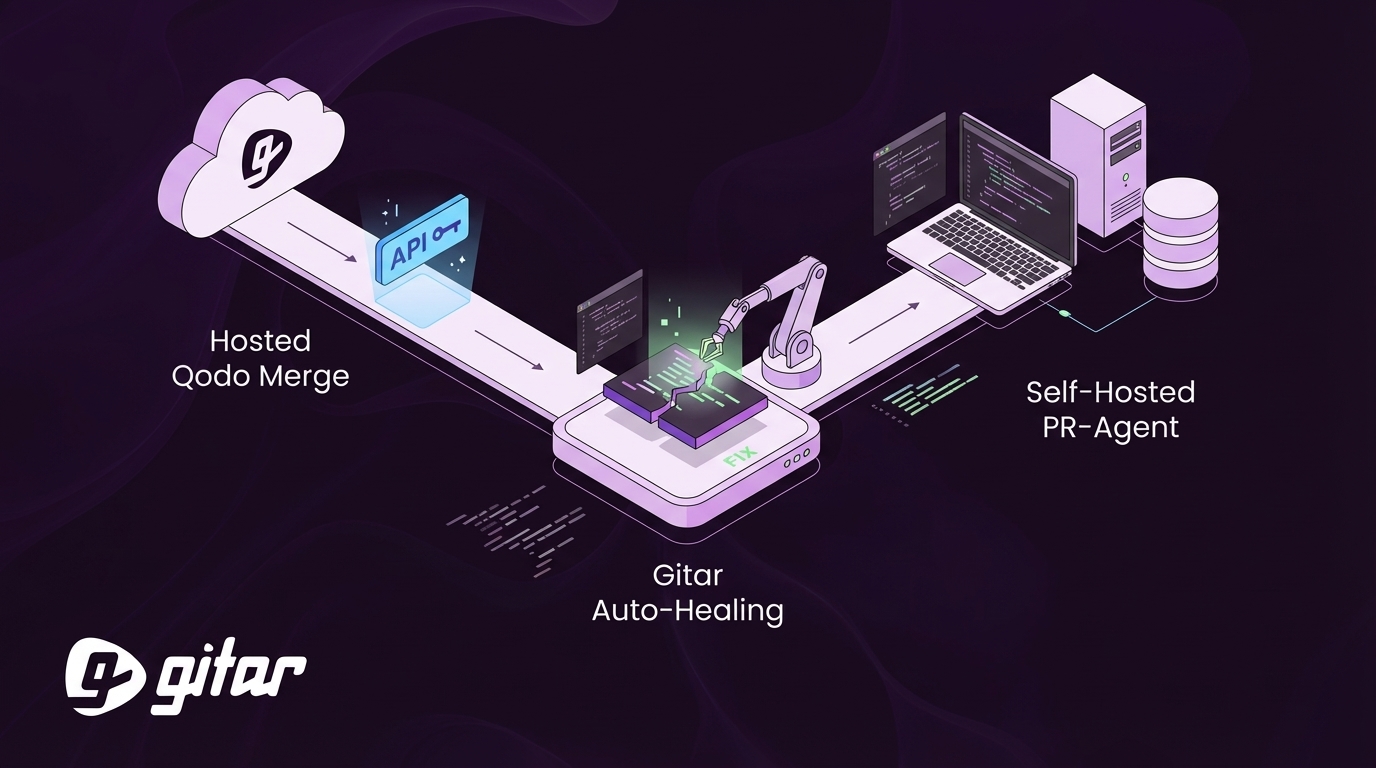
Key Takeaways
- Hosted Qodo Merge delivers 5-minute setup with CLI login and Git token, so you get AI code reviews without infrastructure.
- Self-hosted PR-Agent gives full LLM control and data privacy, with 15-minute Docker deployment and custom providers like xAI Grok.
- Create GitHub or GitLab tokens with repo, status, and pull request scopes to enable smooth PR integration and working webhooks.
- Apply security practices like key rotation, least-privilege access, and avoiding committed secrets to reduce common configuration errors.
- Upgrade to Gitar’s hosted healing engine to get automatic CI-validated fixes without API keys or manual implementation work.
Hosted Qodo Merge: Fastest Setup With No Infrastructure
Hosted Qodo Merge gives you the quickest path to AI code reviews while Qodo manages the infrastructure. Qodo CLI provides hosted API access through a simple login flow that shows your API key in the terminal and stores it locally in the ~/.qodo folder.
Step 1: Install Qodo CLI and Log In
Install Node.js first, then run this command:
npm install -g @qodo/cli && qodo login
The login flow opens your browser, authenticates with Qodo’s dashboard, then returns to the terminal. Your API key appears there and Qodo saves it automatically for future use.
Step 2: Generate a GitHub or GitLab Access Token
Go to your Git provider’s token settings and create a personal access token with these scopes:
| Permission | GitHub Scope | GitLab Scope |
|---|---|---|
| Repository Write | repo | api |
| Issues Write | repo:status | read_api |
| Pull Requests | pull_requests | write_repository |
Step 3: Install the GitHub or GitLab App
Install the Qodo app from your Git provider’s marketplace and configure webhook permissions. The hosted service provides a webhook URL similar to https://pro.gitlab.pr-agent.codium.ai/webhook.
Step 4: Run a Quick Setup Test
Create a test PR and add a /review comment to trigger Qodo’s analysis. Automated feedback should appear on the PR within a few minutes.
Self-Hosted PR-Agent: Full Control Over LLM and Data
Self-hosting PR-Agent gives you complete control over your LLM provider, data residency, and privacy. The open-source PR-Agent repository provides everything you need for a custom deployment.
Step 1: Clone the Repo and Install Dependencies
git clone https://github.com/qodo-ai/pr-agent
cd pr-agent
pip install -r requirements.txt
Step 2: Configure Environment Variables
Create a .env file and add your LLM and Git provider credentials:
OPENAI_API_KEY=sk-your-openai-key
GITHUB_TOKEN=ghp-your-github-token
GITLAB_TOKEN=glpat-your-gitlab-token
Step 3: Pick Your 2026 LLM Provider
PR-Agent supports several LLM providers beyond OpenAI, so you can match models to your workload.
- OpenAI GPT models such as gpt-4 and gpt-3.5-turbo
- xAI Grok for stronger reasoning on complex diffs
- OpenRouter for access to multiple hosted models
- Local LLM deployments that expose OpenAI-compatible APIs
Step 4: Deploy PR-Agent With Docker
docker-compose up -d
For GitLab integration, set the webhook URL in your project settings to point at your deployed PR-Agent instance.
GitHub Setup on macOS With Python
Mac users should install Python 3.8 or later with Homebrew using brew install python. Create a fine-grained personal access token with repository permissions instead of a classic token to improve security.
GitLab Webhook Setup for PR-Agent
In your GitLab project, open Settings > Webhooks and add your self-hosted PR-Agent URL with merge request events enabled. Run the built-in test to confirm that GitLab can reach your service.
Security Best Practices and Common Fixes
Recent security updates have addressed vulnerabilities reported by security researchers and highlight the need for careful token management.
| Common Error | Solution |
|---|---|
| 403 Token Scope Error | Add the repo:status scope to your GitHub token. |
| HTTP 422 Publish Error | Review and update GitHub Actions dependencies. |
| Local LLM Connection Fail | Confirm that the .env OPENAI_API_KEY points to a compatible endpoint. |
Security Recommendations
- Rotate API keys on a schedule and apply least-privilege access.
- Keep secrets out of version control and use secret managers instead.
- Prioritize security reviews for authentication, error handling, and JWT verification.
- Use hosted platforms like Qodo Merge when you need SOC 2 compliance.
Why Teams Upgrade to Gitar for Auto-Fixes
Qodo PR-Agent delivers strong code review suggestions, but developers still need to apply fixes manually. Gitar’s healing engine moves beyond suggestions by applying fixes, validating them against CI, and keeping builds green.

| Feature | Qodo PR-Agent | Gitar |
|---|---|---|
| Auto-apply fixes | No | Yes (Trial and Team) |
| CI failure healing | No | Yes |
| Setup complexity | API keys and optional webhooks | 30-second GitHub app install |
| Validation | Suggestions only | CI-validated fixes |
Teams using Gitar report saving about $750,000 per year in developer productivity by removing manual fix work. Install Gitar now to automatically fix broken builds and ship higher quality software faster.
Everyday Qodo PR-Agent Commands After Setup
After configuration, you interact with Qodo PR-Agent directly through PR comments.
/reviewfor a comprehensive code analysis/describeto generate a PR description/improveto request code improvements/implementto apply specific suggestions
You can track usage in the Qodo dashboard. The free tier includes 75 PRs and 250 credits, while the Teams tier offers 2,500 credits for larger engineering groups.
Choosing Between Hosted Qodo and Gitar Auto-Healing
API access to Qodo PR-Agent now works smoothly through both hosted and self-hosted options. Hosted Qodo Merge gives teams the fastest setup with no infrastructure, while self-hosting provides full control over LLM providers and data privacy. Both paths still rely on developers to implement suggested fixes by hand.

Teams that want real automation choose Gitar, which removes API key management and manual fix work. Gitar’s healing engine automatically resolves CI failures and implements review feedback so developers focus on higher-value tasks. Install Gitar now to automatically fix broken builds and ship higher quality software faster.

Frequently Asked Questions
What happens if my Qodo PR-Agent API key gets revoked?
If your API key gets revoked, regenerate it through the Qodo CLI by running qodo login again. The new key replaces the old one in your ~/.qodo configuration folder. For self-hosted deployments, update your environment variables with the new key and restart your services.
Can I self-host Qodo PR-Agent on macOS?
Yes, macOS fully supports self-hosting. Install Python 3.8 or later with Homebrew and confirm that Docker Desktop is running. The setup steps match Linux, although you might need to adjust file permissions for the .env file. Run chmod 600 .env to secure your environment variables.
What is the difference between Qodo Merge and PR-Agent?
Qodo Merge is the hosted commercial product built on the open-source PR-Agent. Qodo Merge provides managed infrastructure, automatic updates, and enterprise features such as SOC 2 compliance. PR-Agent requires self-hosting and manual maintenance. Both tools share similar core capabilities for automated code review.
How do I configure OpenAI API keys for self-hosted PR-Agent?
Add your OpenAI API key to the .env file as OPENAI_API_KEY=sk-your-key-here. PR-Agent also supports other OpenAI-compatible endpoints when you set OPENAI_API_BASE to a custom URL. For local LLMs, confirm that they expose an OpenAI-compatible API interface.
Why should I consider Gitar instead of Qodo PR-Agent?
Qodo PR-Agent offers strong code review suggestions but still depends on manual fix work. Gitar’s healing engine applies fixes automatically, validates them against your CI pipeline, and guarantees working builds during the 14-day Team Plan trial. This approach removes repetitive implementation tasks and delivers measurable ROI by reducing developer time spent on routine fixes. Gitar also removes API key management and complex setup, and it includes a risk-free 14-day trial of the full Team Plan.