
Key Takeaways
- CI pipeline failures create costly context switching, slow feedback loops, and significant productivity loss for engineering teams.
- Autonomous CI fixing and code review assistance reduce manual debugging, shorten time-to-merge, and keep developers focused on feature work.
- Efficient pipeline configuration and consistent environments cut queue times, lower compute costs, and make builds more reliable.
- Shared CI ownership and clear metrics support continuous improvement and faster onboarding across the engineering organization.
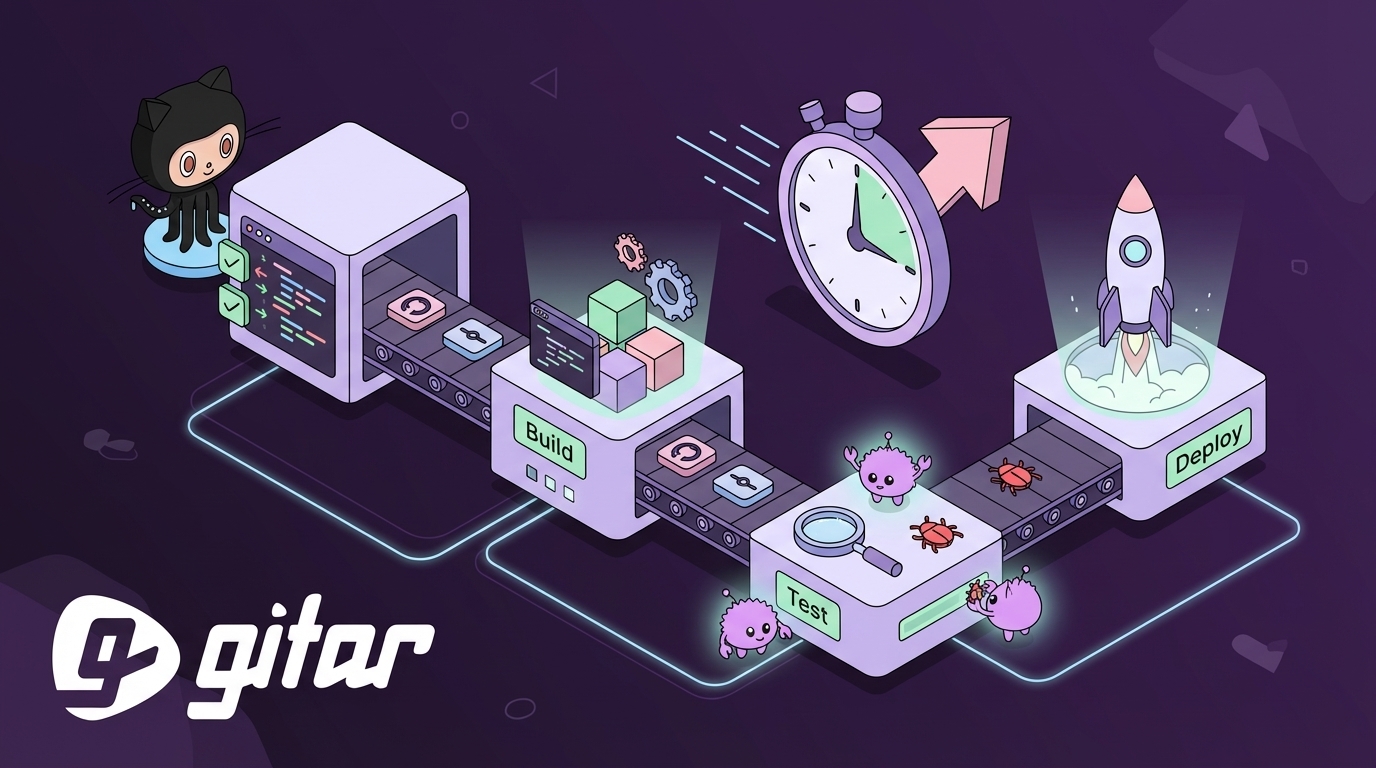
- Teams can offload CI failures and review toil by installing Gitar, an autonomous GitHub automation agent that fixes broken builds and applies review feedback: Install Gitar.
Why CI Pipeline Failures Drain Developer Productivity and Budget
Persistent CI failures create a compound productivity problem that extends beyond a single broken build. Developers can spend up to 30% of their time dealing with CI and code review issues, which can translate to roughly $1 million in lost productivity each year for a 20-developer team. Frequent CI failures, including flaky tests and misconfigurations, slow every stage from commit to release.
Context switching amplifies this cost. A failed pipeline forces developers to stop feature work, inspect logs, and track down root causes. A fix that should take minutes often stretches to an hour once interruptions and handoffs are included. Distributed teams feel this delay even more when every review comment or fix requires another timezone cycle.
Modern tools that accelerate code generation have shifted the bottleneck to validation and merging. More pull requests mean more tests and more chances for failure, so CI pipeline optimization now plays a central role in maintaining development velocity.
Gitar: Autonomous AI Agent For Self-Healing CI And Faster Code Reviews
Gitar turns CI/CD from a reactive, failure-prone process into a proactive system that fixes many issues without manual effort. Instead of only suggesting changes, Gitar acts directly in your repositories and pipelines.
- Autonomous CI fixing that analyzes failed checks, generates code changes, and commits solutions
- Code review assistance that applies reviewer feedback and pushes commits for requested changes
- Full environment replication for complex enterprise stacks with multiple SDKs and tools
- Support for platforms such as GitHub Actions, GitLab CI, CircleCI, and BuildKite
- A configurable trust model that ranges from suggestion-only to fully automated commits
Install Gitar to offload CI failures and speed up code reviews.

1. Eliminate Manual Debugging With Autonomous CI Fixes
Why Manual CI Debugging Burns Developer Time
Manual CI debugging often consumes some of the most expensive engineering hours. A single failure from lint errors, test failures, or dependency conflicts can force a developer to stop feature work, scan logs, and reproduce the issue. This process frequently takes far longer than the fix itself, especially when developers juggle several tasks.
How Autonomous CI Fixing Works
Autonomous CI tools parse failure logs, identify likely root causes, propose code changes, and apply fixes directly to pull requests. When a build fails because of a missing dependency or formatting issue, the tool can update configuration files or adjust code style automatically. Common CI/CD failure types such as syntax errors and failing tests respond well to this pattern, since the required changes follow predictable rules.
How Gitar Delivers Self-Healing CI Pipelines
Gitar monitors failed checks, including npm run lint, pytest, and build steps, then inspects logs to generate code fixes. It commits these fixes to the PR branch and re-runs the workflow. Many broken builds turn green before a developer opens the CI dashboard, which reduces context switching and keeps teams focused on planned work.
2. Shorten Time-To-Merge With Automated Code Review Assistance
Why Code Reviews Create Bottlenecks
Code reviews often introduce more delay than writing the actual feature. Distributed teams feel this when each change request from a reviewer stretches into hours or days. As code generation speeds up, the number of pull requests rises, and reviewers struggle to keep pace.
How AI-Powered Review Assistance Helps
AI review tools summarize changes, highlight potential issues, and draft comments that speed human review. Advanced systems also apply requested changes. When a reviewer asks to remove a feature flag or refactor a function, the AI can push commits that implement the request, which avoids long back-and-forth cycles.
How Gitar Accelerates Reviews In GitHub
Reviewers can ask Gitar to analyze a pull request with a comment such as “@gitar review this PR.” Gitar then summarizes the changes, flags risks, and suggests improvements. When reviewers leave specific instructions, Gitar applies the change, updates tests if needed, and pushes a commit that explains what changed and why. This pattern keeps work moving overnight across time zones and reduces idle PR queues.

3. Improve Pipeline Performance With Smarter Configuration
Where CI Bottlenecks And Costs Come From
Long queue times and rising CI bills often trace back to inefficient pipeline design. Limited runner capacity and monolithic workflows turn each build into a potential blocker. Queue delays and over-centralized ownership make it harder to tune performance.
Practical Strategies For Faster CI Runs
Teams can improve performance by combining several tactics:
- Use caching for dependencies and build artifacts to avoid repeated work.
- Adopt incremental builds so small changes do not trigger full rebuilds.
- Apply conditional execution with GitHub Actions “if” logic to skip irrelevant steps.
- Run matrix builds in parallel and select runners sized for workload needs.
Targeted improvements to GitHub Actions have helped teams reduce build times by several minutes per run and save hours of runner time each day.
How Gitar Reduces Wasted CI Minutes
Gitar cuts the number of failed runs that require human attention. When Gitar fixes issues on the first or second attempt, teams avoid repeated builds that burn runner time. This effect compounds across many repositories and contributes to faster feedback loops and lower CI spend.
4. Keep Environments Consistent For Reliable CI
Why Environment Drift Breaks Pipelines
Differences between local machines and CI environments often cause the classic “it worked on my machine” problem. Environment drift, mismatched SDK versions, and loose dependency rules can produce builds that pass locally but fail in CI.
How To Build Consistent CI/CD Environments
Teams reduce drift by standardizing their stack and processes:
- Containerize applications and CI jobs with Docker images used both locally and in pipelines.
- Define infrastructure and pipelines as code for versioned, reviewable changes.
- Lock dependency versions and monitor for conflicts before they reach CI.
- Use validated templates for YAML workflows to avoid configuration errors.
How Gitar Handles Complex Enterprise Environments
Gitar replicates each workflow’s context, including SDK versions, multiple language runtimes, and tools such as SonarQube and Snyk. This context allows Gitar to generate fixes that align with the real CI environment rather than a simplified model. The result is fewer environment-related surprises and more reliable automated fixes.
5. Build A Culture Of CI Ownership And Continuous Improvement
Why Shared CI Ownership Matters
Centralizing CI/CD knowledge in a small DevOps team slows change. Over-centralized CI ownership makes developers dependent on specialists for even small pipeline tweaks, which increases wait times and discourages experimentation.
How To Encourage Data-Driven CI Improvements
Healthy CI cultures share visibility and responsibility. Effective practices include:
- Dashboards that show pipeline health, failure trends, and average run times.
- Clear contribution guidelines so any engineer can suggest or make pipeline changes.
- Onboarding materials that explain how tests, stages, and environments fit together.
Treating CI/CD as a product with ongoing investment helps teams make steady, measurable improvements.
How Gitar Supports CI Ownership And Onboarding
Gitar lowers the expertise required to keep pipelines healthy. Developers can push changes knowing an autonomous agent will handle many failures and surface clear explanations. DevOps teams then spend more time on architecture and long-term improvements while new engineers ramp up faster, since Gitar absorbs much of the early CI troubleshooting load.

Install Gitar to reduce CI toil and speed up onboarding.
Gitar vs. Other Tools: Healing Engine vs. Suggestion Engines
Teams evaluating CI automation benefit from distinguishing between suggestion engines and healing engines. Suggestion engines highlight problems and propose fixes but depend on developers to implement and validate changes. Gitar operates as a healing engine that takes action.
|
Feature |
Gitar (Healing Engine) |
Manual Process (Status Quo) |
Suggestion Engines (e.g., CodeRabbit) |
|
Action on Failure |
Autonomous fix and commit |
Manual debug and fix |
Suggest fixes only |
|
Context Switching |
Low |
High |
Moderate |
|
Green Build Confidence |
High, fixes validated in CI |
Varies by developer |
Varies, no guarantee |
|
Environment Context |
Full replication and awareness |
Limited to human experience |
Often limited |
Gitar focuses on the last mile of CI automation, where issues move from “understood” to “fixed and passing.” This difference has a direct impact on CI pipeline productivity.
Frequently Asked Questions (FAQ) On CI Pipeline Productivity Improvement Tools
Q1: How does Gitar handle complex, enterprise-specific CI environments that include multiple SDKs and third-party tools?
Gitar is built for complex CI environments that include several SDKs, language versions, and scanning tools. It captures the environment context for each workflow, including JDK versions, multi-SDK dependencies, and integrations with tools such as SonarQube and Snyk. Fixes generated in this context are more likely to pass in your pipelines and align with organizational standards.
Q2: I already use an AI code reviewer like CodeRabbit. How is Gitar different, and do I need both for optimal CI pipeline productivity?
CodeRabbit and similar tools act as suggestion engines. They review code and highlight issues but rely on developers to apply changes and verify passing builds. Gitar acts as a healing engine that applies fixes, runs the full CI workflow, and only reports success once checks pass. Many teams pair both approaches, using suggestion engines for code quality guidance and Gitar for automated fixing and validation.
Q3: Our team is concerned about trusting an AI to commit code directly. How does Gitar manage trust and control to ensure a smooth CI pipeline?
Gitar offers adjustable “aggression” modes. Teams can start in a conservative mode where Gitar posts suggested changes that developers review and accept. After building confidence, teams can enable more automated behavior where Gitar commits fixes directly. Every action includes clear commit messages and logs so teams maintain full visibility and can roll back if needed.
Conclusion: Increase CI Pipeline Productivity With GitHub Automation From Gitar
CI failures, slow reviews, and inefficient pipelines consume significant developer time and budget. Autonomous CI fixing, faster reviews, better configuration, consistent environments, and shared ownership form a practical toolkit for improvement.
Gitar provides an autonomous healing engine that applies these ideas directly in GitHub and other CI platforms. By fixing many failures automatically and applying review feedback as code, Gitar helps teams ship reliable software faster and with less manual toil.
Install Gitar to turn broken builds into passing pipelines and reclaim developer time.