
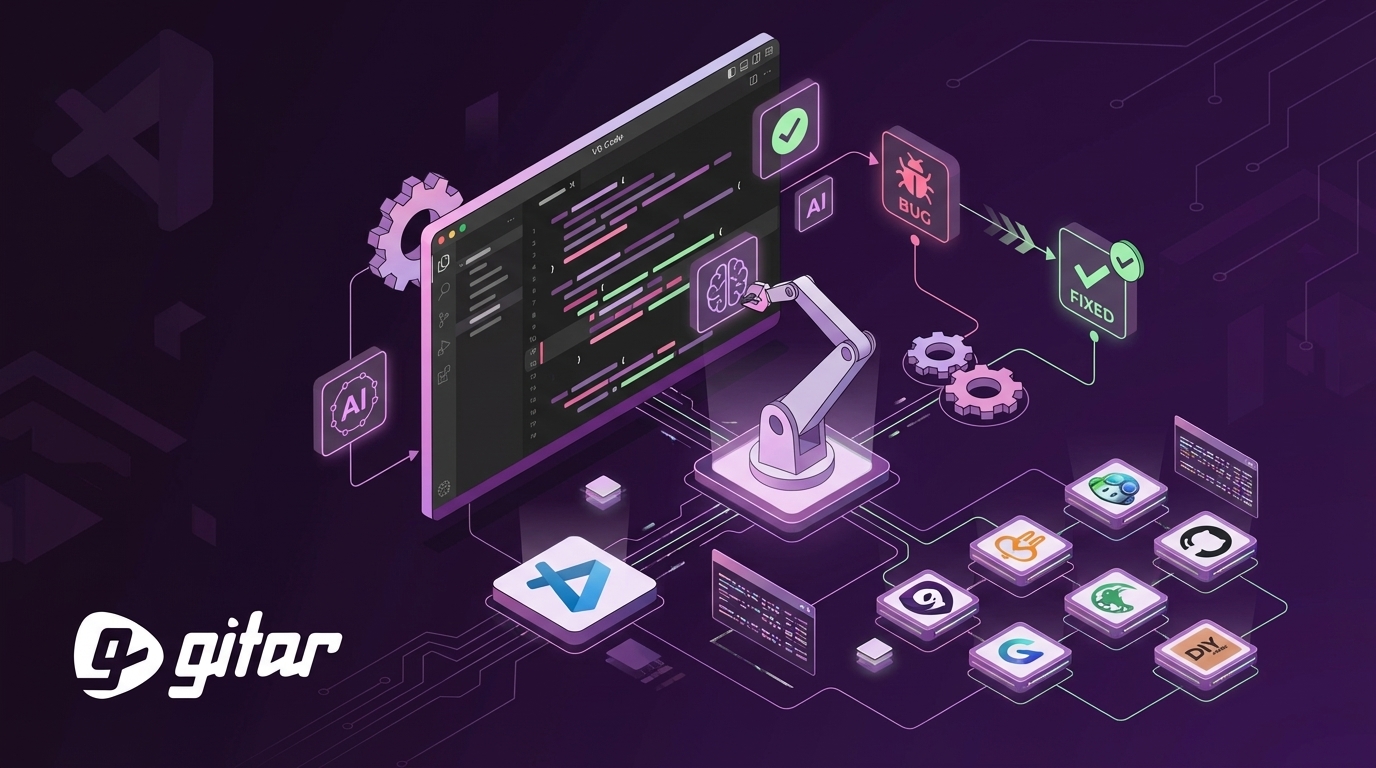
Written by: Ali-Reza Adl-Tabatabai, Founder and CEO, Gitar
Key Takeaways for VS Code AI Code Review
- Gitar leads this list with a healing engine that autonomously fixes CI failures and delivers validated green builds, cutting PR review time by 91%.
- Qodo excels at context-aware analysis and test generation but provides only partial automation compared to fully autonomous fix-and-validate workflows.
- CodeRabbit offers detailed PR summaries and deep linter integration, yet still relies on developers to apply and validate every suggested change.
- Tools like Copilot, Greptile, and Continue.dev focus on suggestions or analysis and do not provide Gitar’s CI healing, which limits productivity gains for teams.
- Teams often reach roughly $750K in annual savings with Gitar’s 14-day free trial as the starting point for measuring ROI, turning CI from a bottleneck into a background process.
How We Tested VS Code AI Code Review Toolkits
Our testing focused on how each toolkit performs in real repositories, not just demo projects. We worked across Python, JavaScript, and TypeScript codebases ranging from 500MB to more than 4GB. We evaluated auto-fix accuracy, VS Code integration depth, CI healing across GitHub Actions, GitLab CI, and CircleCI, context awareness, noise levels, pricing, and ROI potential. Our methodology incorporated vendor documentation analysis, real-world performance benchmarks, and developer feedback from Reddit discussions that repeatedly flagged the “suggestions not fixes” problem.
CI validation capabilities played a central role in the evaluation. Gitar consistently generated fixes that passed CI on the first attempt, while suggestion-focused tools required manual implementation and repeated validation cycles. For a deeper look at Gitar’s CI-aware auto-fixing approach, the official documentation explains how its workflow differs from competitors.

1. Gitar: Healing Engine for Autonomous CI Fixes ✅
Gitar turns code review into an autonomous workflow through its healing engine that identifies issues and then fixes them. Instead of stopping at comments, Gitar resolves CI failures, applies review feedback, and commits working solutions directly to your pull requests.

Integration:
- Install via GitHub App or GitLab integration in under 2 minutes.
- Once installed, Gitar consolidates all findings and resolutions in a single updating dashboard comment.
- Control automation levels with an auto-fix toggle so you decide when Gitar acts autonomously.
- Access everything from VS Code through GitHub or GitLab PR interfaces without context switching.
When CI fails because of lint errors, test failures, or build breaks, Gitar analyzes the logs, generates context-aware fixes, validates them against your full CI pipeline, and then commits working solutions. This healing engine approach delivers CI-passing builds that suggestion-based competitors cannot match. Real-world testing reports 91% PR time savings once teams remove manual fix cycles.
Pricing & ROI: Gitar offers a 14-day free Team Plan trial with unlimited users. For a 20-developer team, the platform typically unlocks around $750K in annual savings by cutting CI and review friction from 1 hour per day to about 15 minutes per developer.

Try Gitar free for 14 days and experience autonomous CI healing in your own pipelines.
2. Qodo: Context-Rich Analysis with Partial Automation 🔧
Qodo, formerly CodiumAI, focuses on deep context-aware analysis using RAG-powered understanding of your codebase. The platform delivers thorough PR diff analysis with automated test generation, which suits teams that value detailed insight into changes more than full autonomy.
VS Code Integration: Qodo ships as a VS Code extension with inline suggestions and a chat interface. It performs well at generating test cases, explaining complex changes, and providing one-click issue resolution for many findings.
Limitations: Qodo supports automated issue resolution and integrates with IDEs and CI, yet it still falls short of fully autonomous CI healing workflows. Reported acceptance rates reach up to 73.8% for suggested changes, which still leaves manual work for the remaining issues.
Pricing: Plans start at $20 per seat each month, making Qodo a strong fit for teams that prioritize deep analysis with some automation rather than complete hands-off fixing.
3. CodeRabbit: Multi-Platform PR Summaries and Linters
CodeRabbit supports GitHub, GitLab, Bitbucket, and Azure DevOps with line-by-line comments, severity rankings, and one-click fixes. It integrates with more than 40 linters and generates detailed PR summaries that help reviewers understand changes quickly.
VS Code Integration: CodeRabbit operates through PR comments and a web interface rather than a native VS Code extension. Developers receive thorough analysis but must switch between the editor and browser to act on feedback.
Strengths: The platform stands out for broad platform coverage and strong linter integration. Pricing ranges from $12 to $30 per user each month, which delivers solid value for teams that want comprehensive PR analysis.
Limitations: CodeRabbit focuses on suggestions, so developers still implement and validate fixes manually. It does not resolve CI failures or provide autonomous healing.
While CodeRabbit covers many platforms effectively, teams already committed to the GitHub ecosystem often look for native options that feel more tightly integrated.
4. GitHub Copilot Chat: Native GitHub Experience with Narrow Scope
GitHub Copilot offers diff-based analysis that catches typos and simple logic errors but often misses architectural issues and cross-file dependencies. The March 2026 VS Code release introduced an agent mode for automated testing and commit summarization, which improves its usefulness for everyday workflows.
VS Code Integration: Copilot provides a native chat interface with tight integration into the GitHub ecosystem. It excels at code suggestions and explanations but has less awareness of the full codebase than some alternatives. The coding agent can implement tasks and create PRs with proposed fixes.
Pricing: Copilot starts at $10 per seat each month as part of the GitHub ecosystem, which makes it attractive for teams already using GitHub extensively.
End CI hell with Gitar’s autonomous healing engine when you need more than suggestions.
5. Greptile: Deep Indexing for Large Monorepos
Greptile focuses on deep full codebase indexing for GitHub and GitLab, which enables extensive bug detection across large repositories. At $30 per user each month, it targets teams managing large monorepos that need full repository graph analysis.
VS Code Integration: Greptile connects to VS Code through MCP setup for code search and querying, and it also offers a web interface for review interactions.
Best For: Teams running large monorepos where cross-file dependency analysis is essential. Greptile still focuses on suggestions, so developers must implement fixes manually.
6. Continue.dev: Open Source and Self-Hosted Flexibility
Continue.dev delivers self-hosted AI assistance with local models for VS Code, giving privacy-conscious teams a customizable review experience.
VS Code Integration: The native extension includes a chat interface and code suggestions. It supports multiple AI models, including local deployments for teams that avoid external APIs.
Limitations: Configuration complexity and critical bugs often disrupt self-hosted setups. The tool does not provide auto-fix workflows or CI integration.
7. DIY Claude Integration: Custom Workflows, Manual Effort
Claude Code works well for pair programming when chats are scoped carefully and changes are reviewed. At $17 per month, it offers strong CLI integration but demands significant custom development to turn it into a full code review system.
VS Code Integration: Claude requires custom wiring for review workflows. It does not ship with built-in PR analysis or CI integration.
Best For: Teams with enough engineering capacity to build and maintain custom review automation, while accepting that they will not get the infrastructure and validation stack of dedicated platforms.
The next section compares these tools side by side so you can see how autonomous fixing, CI healing, and pricing differ in practice.
AI Toolkits Compared for VS Code Code Review
|
Tool |
VS Code Integration |
Auto-Fix/CI Heal |
PR Time Savings |
Price |
|
Gitar |
PR dashboard |
Yes (validated CI fixes) |
91% |
14-day trial |
|
Qodo |
Extension |
Partial (1-click resolution) |
~74% |
$20+/seat |
|
CodeRabbit |
PR comments |
No |
40% |
$15-30/seat |
|
Copilot |
Native chat |
Partial (agent PRs) |
30% |
$10+/seat |
CodeRabbit’s December 2025 report found about 1.7 times more issues in AI-coauthored PRs. This result underscores the need for tools that validate and apply fixes instead of only suggesting them. Gitar’s healing engine addresses this gap by confirming that changes pass CI before committing.

Best Free vs Paid AI Options for VS Code Code Review
Free tools give teams a low-risk way to explore AI-assisted review, but they rarely handle CI healing. Continue.dev provides ongoing free AI assistance, yet suffers from configuration overhead and maintenance issues. Gitar’s 14-day Team Plan trial delivers a paid-level experience during evaluation, including full auto-fix capabilities and CI validation.
Key Tradeoffs:
Your team’s profile determines which features justify paid plans. Solo developers often prefer suggestion-focused tools because they want to read and learn from each fix. Engineering leads running larger teams usually need auto-commit and CI-aware capabilities to maintain velocity, since manual implementation cycles do not scale.
Privacy-conscious teams must weigh security risks from malicious AI extensions that secretly harvest code data. Enterprise organizations also require SOC2 compliance and on-premises or private deployment options that many free tools do not provide.
Total cost of ownership often favors platforms like Gitar that avoid the “suggestion trap,” where teams pay $15 to $30 per seat for tools that still leave most implementation work to developers.
FAQs
What is the best free AI extension for VS Code code review?
Gitar’s 14-day Team Plan trial offers the most complete free experience, with full auto-fix capabilities, unlimited users, and CI integration. Continue.dev provides a permanent free option but lacks automation and demands significant configuration effort.
How does Gitar compare to CodeRabbit in VS Code?
Gitar delivers autonomous healing with auto-fix and CI validation, while CodeRabbit focuses on comments that developers must implement manually. Gitar uses GitHub or GitLab PR dashboard comments for a clean interface, whereas CodeRabbit relies on web-based PR comments. Gitar’s healing engine provides the autonomous fixing capability described earlier, while CodeRabbit remains suggestion-focused.
How do I set up AI code review in VS Code?
For Gitar, install the GitHub App or GitLab integration, start your 14-day Team Plan trial, and Gitar will post a dashboard comment on PRs automatically. You can access that comment directly from VS Code’s GitHub or GitLab PR views. For other tools, install their VS Code extensions and configure API keys in the extension settings.
What is the ROI of auto-fix tools for development teams?
A 20-developer team typically saves about $750K each year by reducing CI and review friction from 1 hour per day to 15 minutes per developer. These savings come from removing the manual implementation cycles that suggestion-focused tools still require, which directly improves sprint velocity and developer satisfaction.
Are VS Code AI toolkits secure for enterprise use?
Enterprise security varies widely by vendor. Gitar provides SOC2 Type II certification and an Enterprise Plan where the agent runs inside your CI pipeline so code never leaves your infrastructure. Many AI extensions, however, collect extensive code data beyond what is needed, so careful vendor security evaluation remains essential for enterprise adoption.
Why Gitar Leads VS Code Automated Review in 2026
Most AI code review vendors charge $15 to $30 per seat for engines that suggest changes and then leave developers to implement and validate them. Trust in AI-generated code dropped to 29% in 2025, which shows how strongly teams now favor tools that deliver working solutions instead of hopeful hints.
Gitar’s healing engine addresses this core problem by identifying issues, generating fixes, validating those fixes against CI, and committing working solutions. This autonomous workflow removes the suggestion trap that keeps teams paying premium prices for only incremental improvements.
While many competitors emphasize analysis and suggestions, Gitar provides a complete development intelligence platform with automated workflows, deep analytics, and CI acting as an agent platform. The 14-day Team Plan trial demonstrates this value in real projects by actually performing the work instead of just commenting on it. For implementation details and advanced configuration, visit Gitar’s documentation.
Start your 14-day trial and let Gitar’s healing engine handle CI failures automatically.