
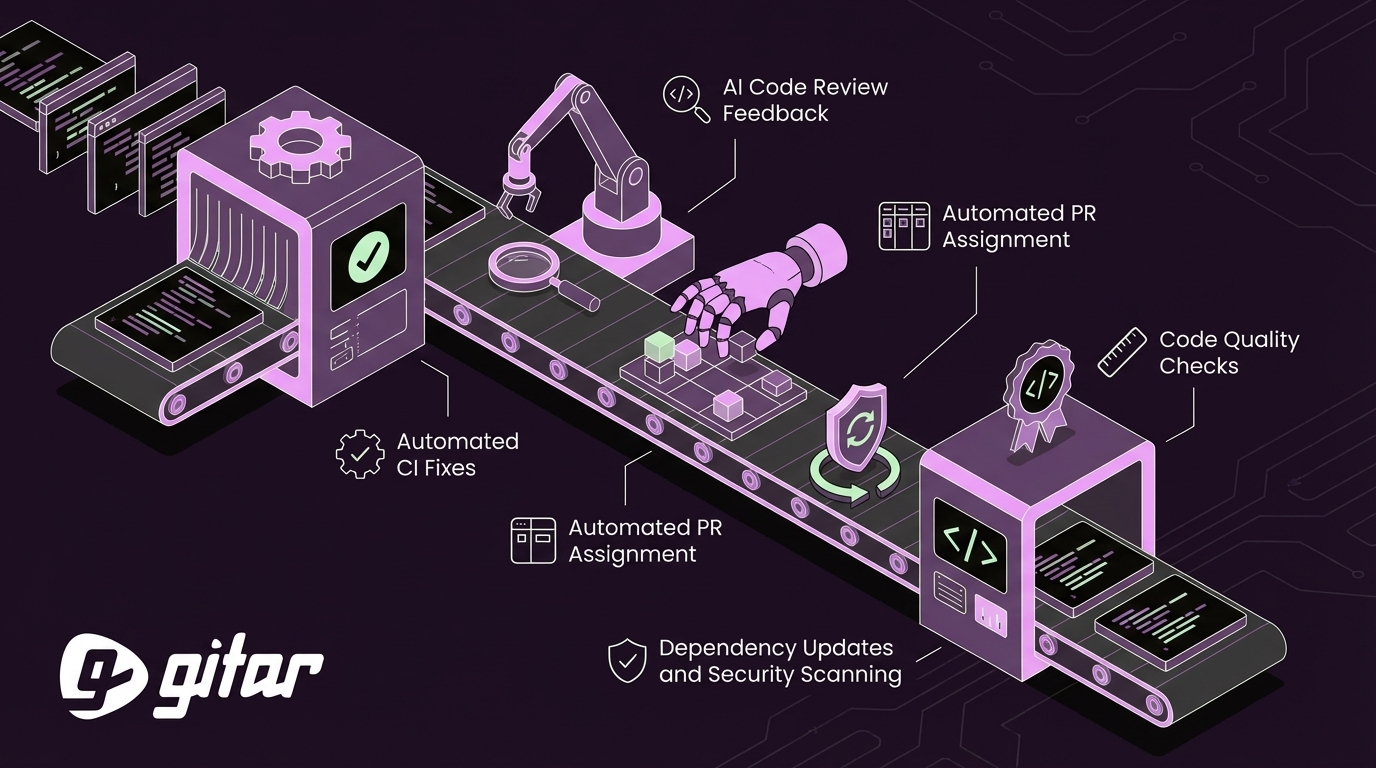
Written by: Ali-Reza Adl-Tabatabai, Founder and CEO, Gitar
Key Takeaways
- Manual GitHub tasks such as CI debugging and code review rework consume a large share of developer time and focus.
- Automation for CI fixes, code review feedback, and project tracking reduces context switching and shortens delivery cycles.
- Security scanning and dependency updates run more consistently and safely when handled by automated workflows.
- Automated quality checks create consistent engineering standards and free reviewers to focus on design and business logic.
- Teams can offload CI fixes and code review changes to Gitar to reclaim engineering time, streamline workflows, and reduce manual toil, with Gitar handling fixes directly in your GitHub environment.
The High Cost of Manual Toil in GitHub: Why Automate?
Manual GitHub workflows quietly drain engineering productivity. Developers can spend up to 30% of their time dealing with CI and code review issues, creating a major bottleneck for most companies. This impact lands hardest on medium-sized teams that already operate with limited resources.
Frequent context switching between debugging CI failures, addressing review comments, and writing new features adds mental overhead. Short tasks often turn into extended interruptions that break concentration and delay delivery.
Teams that adopt automation see faster time to market, more consistent focus on feature work, and lower operational cost. Engineering leaders also gain a clearer path to sustainable velocity and retention when developers spend less time on repetitive work.
1. Reducing Engineering Team Manual Tasks by Automating CI Fixes
CI debugging and fixing often represent the largest single bucket of manual toil. CI automation turns many of these interrupts into background tasks that do not require developer time.
Self-Healing CI with Gitar
Gitar handles failing CI builds by analyzing logs, generating code fixes, and updating the pull or merge request with the solution. This approach covers common failures such as linting issues, formatting errors, simple test failures, and build problems, creating a self-healing CI experience.
The system listens to CI failure events, preserves context across jobs, and validates fixes in the project’s own environment. Developers spend less time chasing red builds and more time on product work.

Practical Examples of Automated CI Fixes
Automation can fix linting errors by formatting code to match project standards and committing the change to the pull request. Developers see green checks instead of long log files.
CI workflows can also resolve straightforward build failures such as dependency version mismatches or missing scripts. These fixes reduce repetitive work while keeping the CI pipeline reliable.
2. Streamlining Code Review Feedback with Autonomous AI
Manual code review cycles often stretch over days, especially for distributed teams. Each new round of comments adds delay and extra context switching for both reviewers and authors.
Gitar’s Intelligent Code Review Assistant
Gitar extends CI automation into code review. Reviewers can tag Gitar to run an initial AI review or to implement specific feedback. When a reviewer leaves a comment such as a request to remove a feature or adjust a check, Gitar applies the change, commits it, and posts an explanation.
This workflow helps teams working across time zones. Reviewers can leave detailed instructions at the end of their day, and developers can start with updated, fixed pull requests when they come online.

Automated First Pass and Actionable Feedback
Automated analysis can handle stylistic issues, missing tests, or simple refactors before a human review. Reviewers then focus on architecture, edge cases, and product behavior instead of routine cleanups.
This tiered approach shortens review cycles and reduces the number of back-and-forth comment rounds while still maintaining high quality.
3. Automating PR Assignment and Project Board Management
Assigning reviewers and keeping project boards updated are necessary but repetitive tasks. Senior engineers often shoulder this work, which pulls them away from high-impact contributions.
Using GitHub Actions for Reliable Project Flow
GitHub’s GraphQL API and Actions can automatically add pull requests to projects and set custom fields such as Ready for Review or Status. These workflows keep boards current without manual updates.
The Auto Assign PRs action assigns reviewers automatically, and additional Actions can move items to In Review when a pull request opens or link issues to pull requests based on branch names or commit messages.
Customizing Project Automation
Workflow triggers can run only for specific branches, tags, or file paths. Teams can design targeted rules that support their development process without cluttering CI with unnecessary jobs.
Teams can also combine GitHub CLI with Actions to query project metadata and update items programmatically. This approach removes nearly all manual project field edits and keeps stakeholders aligned on status.
4. Automating Dependency Updates and Security Scanning
Manual dependency updates and one-off vulnerability checks leave gaps in coverage. Delays in patching can expose systems, and rushed emergency fixes disrupt planned work.
Proactive Security and Updates with GitHub Actions
GitHub Actions can manage dependencies by pairing Dependabot pull requests with automated testing and merging. The Auto Merge Dependabot Updates action helps apply safe updates as soon as they pass CI, without requiring manual review for routine changes.
Security workflows can run on every pull request and on a schedule, integrating tools such as Snyk, SonarQube, and GitHub security advisories. Vulnerabilities surface before code reaches production, which reduces fire drills and unplanned work.
Maintaining Code Health Automatically
Automated checks keep the codebase updated and secure with minimal manual effort. Workflows can open pull requests for critical patches and merge nonbreaking updates after tests pass.
These systems also flag outdated dependencies, license issues, and compatibility risks. Teams spend less time tracking versions and more time delivering product value.
5. Ensuring Code Quality and Standards with Automated Checks
Consistent standards make code easier to maintain, but manual enforcement is slow and uneven. Automated checks apply the same rules to every change.
Enforcing Standards with Automated Workflows
GitHub Actions can run linting, formatting, and static analysis on each push, which keeps quality gates reliable. The YAML Validator action validates configuration files so that malformed configs do not break deployments.
Workflows can also enforce documentation and testing standards. The Markdown Link Checker action scans documentation and flags broken links, which maintains docs quality without manual review.
Benefits of Proactive Quality Control
Automated checks keep code quality stable across teams and repositories, which prevents slow accumulation of technical debt.
Reviewers can then focus on core behavior, system design, and business rules instead of formatting disputes. This shift improves both review quality and throughput.
Gitar vs. The Status Quo: Why Gitar Excels at Reducing Manual Tasks
Traditional automation and AI suggestion tools provide guidance but still rely on developers to apply and validate fixes. Gitar focuses on closing that last mile by implementing and verifying changes directly in your environment.
Comparison of Automation Approaches
|
Feature |
Manual Work |
AI Suggestion Engines |
Gitar (CI Healing Engine) |
|
CI Failure Resolution |
Manual debug and fix |
Suggestions, manual fix |
Autonomous fix and validate |
|
Code Review Feedback |
Manual implementation |
Suggestions, manual fix |
Autonomous fix and implement |
|
Context Switching Tax |
High, disrupts flow |
Moderate |
Low, preserves flow |
|
Validation |
Manual |
Developer validates |
Automated |
This model reduces the number of steps developers take from identifying an issue to merging a fix, which directly cuts the time spent on repetitive CI and review tasks.

Frequently Asked Questions About Reducing Manual Engineering Tasks
Q1: We already use AI reviewers. How is Gitar different for reducing manual tasks?
Most AI reviewers suggest changes but do not apply or validate them. Gitar applies fixes, runs the relevant CI workflow, and confirms that builds pass. It also supports a range of CI providers, including GitHub Actions, CircleCI, and Buildkite.
Q2: Our CI setup is complex. Can Gitar still reduce manual tasks?
Gitar works with complex enterprise environments by emulating dependencies, SDK versions, and tools such as SonarQube and Snyk. This context allows it to generate fixes that match real deployment conditions instead of generic suggestions.
Q3: How does Gitar handle trust when automating fixes?
Teams can start with a conservative mode where Gitar posts suggested fixes for review. After teams gain confidence, they can move to a mode where Gitar commits changes directly and uses safeguards such as rollbacks to maintain control.
Conclusion: Reclaim Engineering Time to Reduce Manual Tasks with Gitar
Manual toil in GitHub workflows reduces engineering velocity and adds hidden cost as teams grow. CI failures, long review cycles, and repetitive project updates compete with planned feature work.
Gitar converts many of these manual steps into autonomous workflows. Instead of only pointing out problems, Gitar applies and validates fixes so engineers can stay focused on high-value work.