
Key Takeaways
- CI/CD failures often stem from misconfigured environments and inconsistent tool versions, which create avoidable build breaks and slow delivery.
- Proactive environment parity, backed by containers and dependency lockfiles, reduces “works on my machine” issues before they reach CI.
- Intelligent root cause analysis and autonomous CI fixing shorten mean time to resolution and limit disruptive context switching.
- Asynchronous, automation-friendly workflows help distributed teams avoid time zone delays and keep pull requests moving.
- Teams can adopt an autonomous CI agent like Gitar to automatically fix broken builds, apply code review feedback, and speed up releases.
The Hidden Cost of Traditional Build Failure Resolution
CI failures disrupt focus and drain engineering time. When a build breaks, developers stop current tasks, inspect logs, write fixes, and push new commits, often for issues that repeat across projects.
The context switching tax compounds the problem. A developer who moves on after opening a pull request, then returns later to fix a failure, often spends more time regaining context than applying the actual fix. Manual, reactive fixes such as ad hoc debugging, blind retries, and heavy documentation consume time and rarely address systemic causes. Modern teams increasingly rely on DevOps tools for build failure resolution that prevent, diagnose, and fix failures with less human intervention.
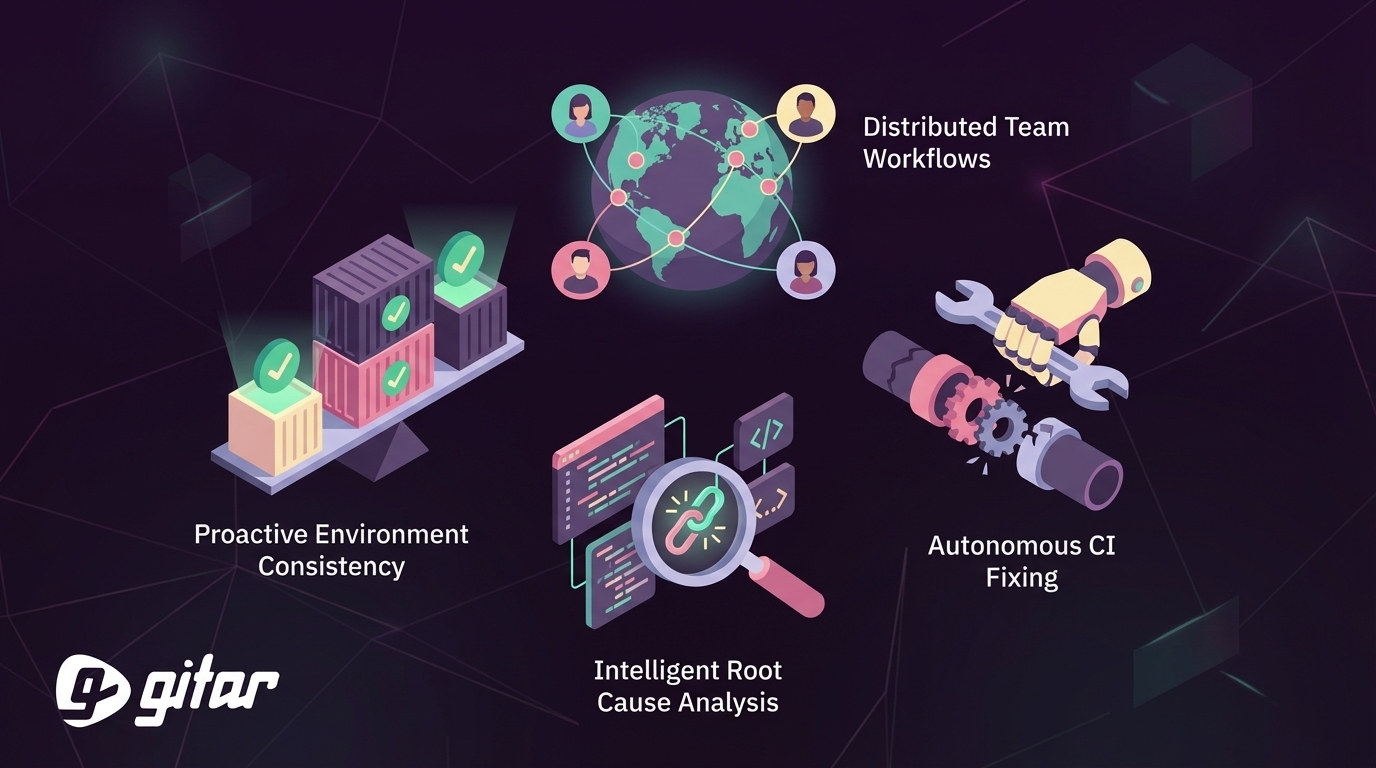
Strategy 1: Implement Proactive Environment Consistency
Environment parity limits surprises between local machines and CI. Mismatches between developer systems and CI runners often introduce missing dependencies, version conflicts, and unexpected runtime behavior that only appear in a clean CI environment.
Teams gain the most benefit when they standardize three areas: containerized runtimes, locked dependencies, and consistent configuration. Consistent environments across development, testing, and production using containerization significantly reduce environment-related CI failures. Ongoing validation matters as much as initial setup, so teams benefit from tools that flag drift and configuration regressions early.
Implementation Checklist for Environmental Consistency
- Audit gaps between local and CI environments, including language runtimes, build tools, and OS-level libraries.
- Containerize applications with Docker and align Dockerfiles with CI runner images.
- Commit dependency lockfiles such as package-lock.json, Pipfile.lock, or go.sum to version control.
- Use a centralized secrets manager so both local setups and CI pipelines consume configuration consistently.
Strategy 2: Deploy Intelligent Root Cause Analysis
Intelligent root cause analysis tools replace manual log scraping with pattern-aware insights. Gradle Develocity Failure Analytics, for example, detects, groups, and prioritizes avoidable build failures by impact, which helps teams focus on the highest-value fixes.
Advanced systems apply machine learning across many builds to group failures by type and frequency. AI-powered root cause analysis can automatically inspect failed pipelines, highlight the likely cause, and reduce manual investigation effort. These tools distinguish flaky tests from real regressions, pinpoint configuration errors, and surface recurring dependency issues.
Some DevOps tools for build failure resolution add specific remediation guidance. Instead of a generic “test failed” message, they identify the failing assertion, relevant environment details, and prior incidents with successful fixes, which shortens the feedback loop for developers.
Key Metrics to Track with Intelligent Analysis
- Mean time to resolution (MTTR) for CI failures before and after implementation.
- Accuracy of automated categorization versus manual triage.
- Developer sentiment around debugging effort and CI confidence.
Strategy 3: Embrace Autonomous CI Fixing
Autonomous CI fixing turns diagnosis into action. Bug-fixing code changes represent a large share of unsuccessful CI runs, yet many tools still stop at suggestions and leave developers to apply fixes.
Autonomous systems analyze failed builds, generate code changes, and apply them directly to branches or pull requests. For lint errors, they auto-format code and push a commit. For simple test failures, they update snapshots, adjust expectations, or restore stable configuration.
Gitar provides autonomous CI fixing as a CI agent that both addresses failures and responds to review feedback. Teams can configure behavior from suggestion-only to fully autonomous commits with rollback options. Gitar validates its changes against the existing pipeline, focusing on common failures such as linting, formatting, and straightforward test issues.

Trust-Building Implementation Strategy
- Start with suggestion mode so developers review and approve proposed fixes.
- Limit early automation to low-risk issues such as formatting, linting, and simple configuration changes.
- Track accuracy of automated fixes, then expand coverage to selected test failures and build script updates.
- Define clear rollback procedures for autonomous commits to maintain confidence.
Strategy 4: Optimize for Distributed Team Workflows
Asynchronous CI resolution keeps global teams productive. Time zone gaps can extend simple review cycles into multi-day efforts when developers wait for feedback, implement changes, then wait again for confirmation.
DevOps tools that operate independently of working hours help remove this delay. When reviewers leave comments, automation can implement changes and re-run CI so the original author returns to a ready-to-merge pull request instead of a new to-do list.
Gitar supports this style of workflow. Reviewers can request changes in a pull request comment, and Gitar applies the updates, validates them with CI, and posts an explanation of what changed.

Install Gitar to automatically fix broken builds and reduce time zone delays for distributed teams.
Measuring Distributed Team Success
- Track pull request lead time from first commit to merge across key time zones.
- Measure the number of review cycles required to reach approval.
- Collect developer feedback on the quality and clarity of automated changes.
Comparing DevOps Tools for Build Failure Resolution: Key Decision Factors
|
Tool Category |
Speed to Resolution |
Implementation Method |
Trust Model |
|
Manual Debugging |
60-120 minutes |
Developer investigation |
High developer control |
|
AI Suggestion Tools |
15-30 minutes |
Recommendations only |
Review required |
|
Autonomous CI Fixing |
2-5 minutes |
Automatic implementation |
Configurable automation |
This comparison highlights both speed and completeness of resolution. Manual debugging requires developers to understand the problem, research options, implement a fix, and validate results. AI suggestion tools remove some research but still depend on manual edits. Autonomous fixing tools manage the full workflow from detection through validated resolution, which reduces context switches and shortens feedback loops.
Frequently Asked Questions
Most common build failures that DevOps tools can resolve
Commonly automated failures include lint and formatting violations, dependency conflicts, straightforward unit test failures, and simple build script errors. These issues represent a large share of CI breakages, so automating them can significantly lower manual debugging time.
Handling complex enterprise environments with autonomous CI fixing
Autonomous CI tools such as Gitar integrate with existing enterprise stacks by honoring repository configuration, SDK versions, and third-party scanners. Fixes run through the same CI pipeline and security checks that human-written code uses, which helps ensure compatibility with each organization’s environment.
Difference between AI code review suggestions and autonomous CI fixing
AI code review systems highlight potential improvements but require developers to apply changes and re-run CI. Autonomous CI fixing tools such as Gitar implement changes directly, trigger the pipeline, and verify success, so teams receive validated outcomes instead of only recommendations.
Measuring ROI of automated build failure resolution for distributed teams
Teams can track MTTR for CI failures, average number of context switches per developer, pull request merge times across regions, and satisfaction scores. For a 20-person team, these metrics can be combined with hourly cost data to estimate financial impact in addition to quality-of-life improvements and faster feature delivery.
Effective trust models for introducing autonomous DevOps tools
Many teams begin with suggestion-only workflows, then move to partial automation for low-risk fixes. Accuracy metrics, code review feedback, and post-merge incident tracking inform when to expand coverage. Different repositories or services can use different automation levels based on criticality and team preferences.
Conclusion: Improve Productivity with Autonomous DevOps Tools for Build Failure Resolution
The four strategies in this guide, environment consistency, intelligent root cause analysis, autonomous CI fixing, and distributed workflow support, shift teams from reactive triage to proactive, data-driven operations. Each strategy offers value on its own, but integrated tooling delivers the biggest gains in stability and developer focus.
Moving from manual debugging to autonomous resolution changes how teams work day to day. Developers stay in flow longer, pipelines fail less often for known issues, and distributed teams move code forward without waiting for overlapping hours.