
Written by: Ali-Reza Adl-Tabatabai, Founder and CEO, Gitar
Key Takeaways
- Large Graphite PRs with 100+ commits create rebase hell. Stacking breaks them into reviewable chunks and increases delivery speed.
- Automate rebases using Graphite CLI. Use gt split for stacks, gt sync –no-interactive for updates, and gt restack for conflicts.
- Troubleshoot common issues like nested conflicts with gt sync and gt restack. Avoid running git rebase directly on tracked branches.
- Gitar supercharges Graphite by analyzing CI failures after rebases, applying fixes, and keeping builds green for zero-touch merges.
- Combine Graphite stacks with Gitar for CI automation to create a fully automated path from large PRs to production deployment.
Why Automate Graphite Rebases for Large PRs
Stacked PRs beat monolithic changes for velocity. Small, frequent pull requests indicate incremental progress and maintained flow state, enabling faster delivery, higher quality, better knowledge sharing, and mitigation of risks associated with large batches. Graphite stacking supports this approach by keeping a linear commit history that enables zero-downtime syncs and conflict-free merges.
Manual rebasing across large stacks creates friction and slows teams down. Graphite’s gt sync and gt restack commands address this by automating the rebase workflow and making rebasing and merging feel way less painful. Automation alone still leaves post-rebase cleanup, so Gitar’s CI Failure Analysis deduplicates failures across multiple jobs or pipelines, surfaces causes without digging through logs, and keeps information up to date in real time, unlike suggestion-only tools that leave developers fixing lint errors manually.

Step-by-Step Graphite Rebase Automation with gt split, sync and merge
This workflow shows how to automate large PR rebases using Graphite’s CLI from install to merge.
1. Install Graphite CLI
brew install graphite gt auth –token YOUR_GITHUB_TOKEN
2. Split Large PRs into Stacks
gt split –from main –to feature-branch –no-interactive
Graphite’s gt split –no-interactive command splits the current branch into multiple single-commit branches, which breaks large commits into reviewable pieces for stacked PRs. The –no-interactive flag prevents hanging in CI environments and keeps automation reliable.
3. Sync and Rebase the Stack
gt sync –all –no-interactive
Graphite’s gt sync –no-interactive command syncs branches from remote, deletes locally merged branches, rebases remaining branches onto trunk, and updates PR bases on GitHub. This flow handles force-pushes and keeps stacks current without manual intervention.
4. Handle Conflicts with Restack
gt restack –no-interactive
Graphite’s gt restack –no-interactive command ensures each branch in the stack has its parent branch correctly in its git history. Run this after resolving merge conflicts so the entire stack reflects the updated relationships.
5. Submit the Stack to Merge Queue
gt submit –stack –no-interactive
Graphite’s Merge Queue automates rebasing and merging of entire PR stacks by determining the optimal order to prevent semantic merge conflicts, particularly in larger codebases with frequent changes. This final step closes the loop and ships the stack safely.
Troubleshooting Conflicts in Large Graphite PR Stacks
Large stacks with 100+ commits create unique conflict scenarios that still require targeted fixes. In Swizec Teller’s experience using Graphite for a couple weeks on large refactorings, Graphite’s managed rebasing resolved issues automatically in 80% of cases, with occasional manual conflict resolution needed. When manual intervention becomes necessary, the following commands address the most common conflict patterns.
|
Error Type |
CLI Fix |
When to Use |
|
Nested conflicts |
gt sync –no-interactive && gt restack |
Multiple PRs conflict with base |
|
Outdated metadata |
gt modify –no-interactive |
After manual git operations |
|
Stack corruption |
gt rebase –continue |
Mid-rebase failures |
|
Force-push issues |
gt sync –all |
Remote changes during rebase |
Graphite best practice: never use git rebase directly on tracked branches, and instead use gt modify or gt restack to update stack metadata during rebasing. Following this guideline keeps Graphite’s view of the stack consistent with git history.
Supercharge Post-Rebase CI and Review with Gitar
Graphite handles the mechanical work of splitting, syncing, and rebasing stacks, while Gitar removes the post-rebase friction that appears in CI and review. While competitors charge $15-30 per developer for suggestions, Gitar.ai added this CI failure analysis capability on October 2, 2025, extending the real-time analysis mentioned earlier to include automatic insights in dashboard comments that update dynamically with new commits. See Gitar documentation for details.
The key difference becomes clear when comparing what is possible with Graphite alone versus a combined Graphite and Gitar workflow.
|
Capability |
Manual or Graphite Only |
Gitar |
|
CI failure analysis |
No |
Yes |
|
CI auto-fix |
No |
Yes |
|
Validate fixes against CI |
No |
Yes |
|
Guarantee green builds |
No |
Yes |
|
Review feedback implementation |
Manual |
Automated |
Gitar integration works seamlessly with Graphite stacks and fits into existing GitHub workflows. Install the GitHub app at docs.gitar.ai, then start your 14-day Team Plan trial to see it on real stacks. Gitar’s system processes events, maintains context across jobs and users, handles retries, detects duplicates, and keeps state consistent even in noisy CI environments. Start your free trial to see how Gitar handles post-rebase CI failures automatically.
Full Zero-Touch Workflow with Graphite and Gitar
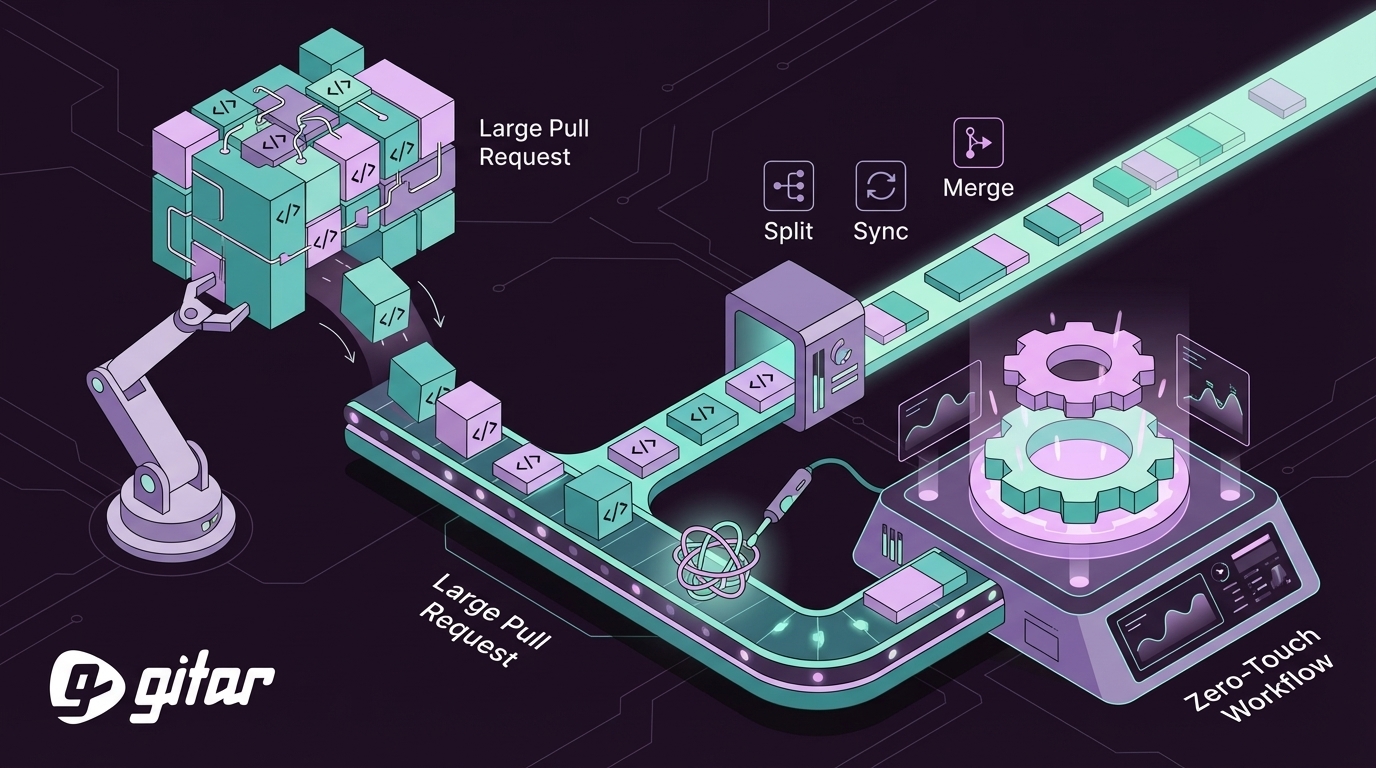
Graphite and Gitar together create a complete automation pipeline from developer push to production. Developer pushes a large PR, Graphite splits it into reviewable stacks, gt sync keeps branches rebased, Gitar analyzes CI failures, auto-commits fixes, and the merge queue stays green with zero manual intervention.
Configure repository rules in .gitar/rules/*.md for event-driven automation that responds to specific CI events. When rebases trigger CI failures, these rules activate Gitar’s healing engine, which validates fixes in your actual CI environment, not isolated sandboxes, and ensures production-ready code.

FAQ
How do you break up a large pull request with Graphite?
Use Graphite’s gt split command to automatically break large commits into atomic, reviewable pieces. Run gt split –from main –to feature-branch –no-interactive to create a stack of single-commit branches. Each branch becomes an individual PR that reviewers can approve and merge independently while Graphite maintains dependencies between them.
How do you handle Graphite merge queue conflicts?
Graphite’s merge queue automatically detects conflicts and provides resolution tools that keep stacks moving. Run gt merge-queue visualize to see the queue status, then use gt modify –no-interactive to update conflicting commits. The queue automatically retests and advances once conflicts are resolved, and for complex scenarios gt restack restores proper parent-child relationships across the stack.
Does Gitar work with Graphite stacks?
Gitar supports stacked PRs on GitHub and GitLab and works well alongside Graphite. Gitar provides AI code review, CI failure analysis, and auto-fixes for pull requests in a single workflow. The 14-day Team Plan trial includes full access to these features with no seat limits, so entire teams can test stacked workflows together.
What happens when gt sync fails on large stacks?
Large stacks can encounter sync failures because of complex merge conflicts or remote changes. First, run gt sync –all –no-interactive to apply Graphite’s automatic resolutions. For manual conflicts, resolve them locally, then run gt restack to update the entire stack. Use gt log –stack to visualize the current state and identify which branches still need attention.
Can you automate pull requests with Graphite beyond rebasing?
Graphite provides broader automation through its CLI and merge queue system that extends beyond rebasing. You can automate PR creation with gt create, submission with gt submit –stack, and merging through the queue system. Combined with Gitar CI automation, this creates the complete automation pipeline described earlier, from code changes to production deployment.
Automate Graphite rebases with CLI commands, then let Gitar’s healing engine handle CI failures and review fixes so you can end PR rebase hell for good. Try Gitar’s 14-day Team Plan free and eliminate manual post-rebase fixes from your workflow.