
Written by: Ali-Reza Adl-Tabatabai, Founder and CEO, Gitar
Key Takeaways for 2026 AI Code Review
- AI coding tools are now mainstream, yet review capacity lags. AI-coauthored PRs ship with 1.7× more issues, which creates persistent PR bottlenecks.
- Amazon CodeWhisperer delivers strong AWS-focused suggestions and security scans but does not handle full PR review or CI auto-fix workflows.
- VS Code AI extensions such as Copilot Chat and Cody add helpful feedback and inline edits, but developers still implement most fixes manually, and only 30% of suggestions get accepted.
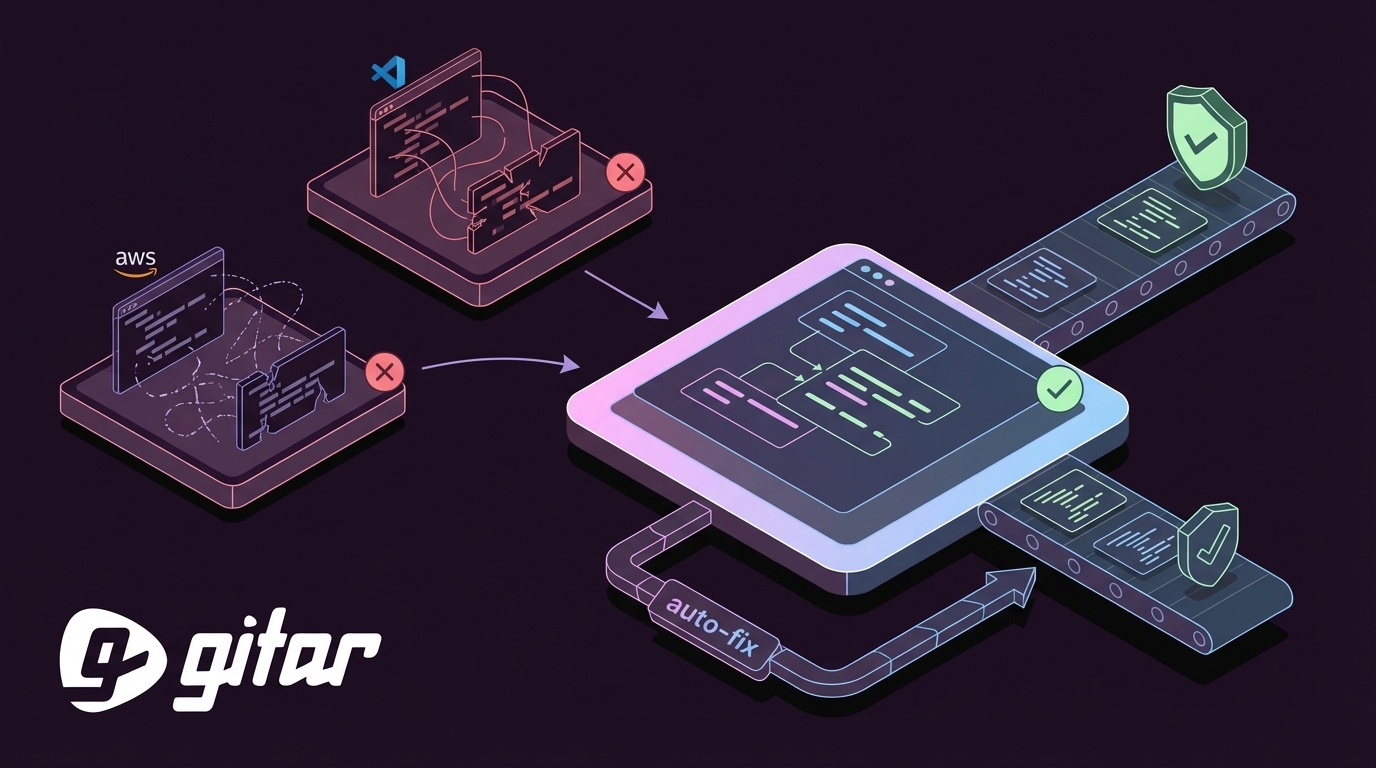
- Gitar’s healing engine closes this gap by auto-fixing CI failures, applying review feedback, and committing validated changes that keep builds green.
- Teams save about 3.6 hours per developer each week with Gitar, turning AI-identified issues into resolved problems through automated code review.
Amazon CodeWhisperer in VS Code: Strengths and Gaps
As of March 2026, Amazon CodeWhisperer, now part of Amazon Q Developer, provides real-time code suggestions in VS Code with built-in security scanning that detects an average of three vulnerabilities per code review session. The tool excels at AWS-specific code generation and compliance checks, scanning for SQL injections, hardcoded credentials, and other security risks during development.
CodeWhisperer’s strengths include deep AWS integration, a generous free tier, and low-latency suggestions. When teams evaluate “is CodeWhisperer good for code review,” clear limits appear. The product focuses on code generation and security scanning, not on full PR review or CI failure resolution. As a result, 75% of logic issues in AI-generated code go undetected by tools in this category.
Teams set up CodeWhisperer in VS Code by following a straightforward sequence:
- Install the AWS Toolkit extension
- Configure AWS credentials
- Enable CodeWhisperer suggestions
- Adjust security scan settings for the workspace
CodeWhisperer works well for AWS-focused development but still cannot auto-fix CI failures or apply review feedback. These gaps matter for teams that want end-to-end automation instead of suggestion-only workflows. For a deeper look at automated review, see Gitar’s documentation on advanced code review automation.
VS Code AI Code Review Extensions: The Reality Check
Beyond AWS-specific tools, the broader VS Code ecosystem now includes GitHub Copilot Chat, Cody, Continue.dev, and Fusion. These extensions provide inline comments, architectural feedback, and conversational assistance inside the editor. Copilot Chat offers natural language explanations, code suggestions, flexible editing, and issue management, while Cody brings codebase-aware context for large projects with inline edits and Smart Apply features.
Fusion differentiates itself by generating small, reviewable pull requests that plug into existing CI, tests, and linters. It maps rendered UI to source files and produces standard PRs with summaries, which keeps workflows transparent. Fusion still stops at generating reviewable diffs, so developers remain responsible for validating and finalizing fixes.
Most VS Code AI review extensions share similar setup steps:
- Install the extension from the VS Code marketplace
- Configure API keys or authentication
- Adjust workspace-specific settings
- Enable inline suggestions and chat features
These tools share the same core limitation seen with CodeWhisperer. They generate suggestions and comments, yet they depend on manual implementation for full resolution. Only 30% of AI-suggested code gets accepted, and developers often deal with notification overload, including up to four times more duplicate suggestions. Because these extensions lack CI context, they cannot confirm whether proposed changes actually fix failing builds.
Amazon CodeWhisperer vs VS Code AI Code Review: Side-by-Side Comparison
The following table shows how CodeWhisperer and VS Code AI extensions stop at suggestions, while Gitar carries changes through validation and commit.
|
Feature |
CodeWhisperer |
VS Code AI Extensions |
Gitar |
|
Inline Suggestions |
Yes |
Yes |
Yes |
|
PR Summaries |
Limited |
Partial |
Yes |
|
Security Scanning |
Yes |
Varies |
Yes |
|
Auto-Fix CI Failures |
No |
No |
Yes |
|
Validate & Commit Fixes |
No |
No |
Yes |
|
Single Clean Comment |
No |
No |
Yes |
This comparison highlights a structural gap in both Amazon CodeWhisperer and VS Code AI extensions. Neither tool keeps pace with environments where almost half of companies had at least 50% AI-generated code by late 2025. Gitar’s healing engine fills that gap with automation that moves beyond suggestions into verified problem resolution.

Why Gitar Beats Them Both: End-to-End Auto-Fix
Gitar’s healing engine shifts teams from suggestion-based workflows to autonomous code resolution. CodeWhisperer and VS Code extensions identify issues, while Gitar analyzes the full codebase, PR context, and CI environment, then generates validated fixes and commits them. The Gitar documentation explains this workflow in detail.
The key differentiators work together as one system.
Comprehensive CI Integration: When lint errors, test failures, or build breaks occur, Gitar analyzes failure logs, generates context-aware fixes, validates them against your CI pipeline, and commits working solutions. This end-to-end loop removes the manual implementation step that suggestion tools leave to developers.

Single Comment Interface: Because Gitar can address multiple issues in a single PR, it needs a clear way to present results. Instead of scattering notifications across your diff, Gitar consolidates CI analysis, review feedback, and rule evaluations into one updating dashboard comment. This approach reduces cognitive load and keeps reviewers focused.
Cross-Platform Support: This unified experience applies across your stack. While CodeWhisperer centers on AWS and VS Code extensions remain editor-specific, Gitar connects natively to GitHub, GitLab, CircleCI, and Buildkite, so teams keep their existing tools while gaining automated healing.
Teams report significant time savings with this automation. Gitar adds natural language workflow rules, Jira and Slack integration, and deep analytics that surface trends beyond basic code review metrics. Start your 14-day free Team Plan trial to see these capabilities in action on real PRs.

For VS Code users who want more than suggestion-only workflows, Gitar integrates through its GitHub App while preserving the current editor setup. The Gitar documentation walks through connecting repositories and enabling healing without changing your preferred development environment.
Best AI Code Review Tool for VS Code? The 2026 Answer
The best AI code review tool for VS Code depends on whether your team wants suggestions or finished solutions. Traditional VS Code extensions excel at generating comments and architectural feedback, yet they rarely take responsibility for fully fixing the issues they highlight.
Gitar closes this gap by auto-fixing bugs that Copilot and similar tools introduce, catching security vulnerabilities that traditional scanners miss, and resolving unrelated CI failures that drain developer time. Among 2026 AI code review platforms, Gitar stands out as the only one that consistently delivers green builds through validated, automatic fixes.
The healing engine also learns your team’s patterns and maintains context across PRs, repositories, and organizations. Suggestion-focused tools do not retain this level of operational memory. That broader context makes Gitar a clear leader in the current generation of AI-powered development tools.
Real-World ROI and Common Objections
Teams often say, “we already use CodeWhisperer” or “we are paying for VS Code AI extensions.” That investment usually buys suggestion tools that cost $15–30 per developer each month, while still requiring manual implementation of every fix. In other words, teams pay premium prices for incremental improvements that leave the main bottleneck untouched.
Gitar’s 14-day free Team Plan trial demonstrates the difference between suggestions and solutions in a live environment. Teams can configure trust levels to begin in suggestion mode, then enable auto-commit for specific failure types as confidence grows. The validation engine confirms that each fix works in the actual CI environment instead of in a synthetic sandbox.
The ROI calculation stays simple. Developers save about 3.6 hours per week when AI tools fix problems instead of only flagging them. Teams using AI code generation often see a 91% increase in PR review time, which means manual implementation of suggestions nearly doubles review effort. Gitar’s automation targets that bottleneck directly and converts those lost hours into measurable delivery gains.
Conclusion: From Suggestions to Guaranteed Green Builds
In 2026, Amazon CodeWhisperer and VS Code AI code review tools still operate as suggestion engines that identify problems without fully solving them. Gitar’s healing engine represents the next stage of AI development support, with autonomous code review that fixes issues, validates solutions, and keeps builds green. Ready to automatically repair broken builds and ship higher quality software faster? Start your free Gitar trial today.
Frequently Asked Questions
What is the main difference between Amazon CodeWhisperer and VS Code AI code review extensions?
Amazon CodeWhisperer focuses on code generation with built-in security scanning, especially for AWS workloads. It offers real-time suggestions, vulnerability detection, and some ready patches but does not provide full PR review. VS Code AI extensions such as Copilot Chat and Cody add conversational interfaces, architectural feedback, flexible editing, and inline apply features, yet they still behave as suggestion-first tools. Both categories require manual implementation for many fixes and stop short of auto-fixing CI failures or validating that suggestions work in a specific environment.
Can Amazon CodeWhisperer or VS Code extensions automatically fix broken builds?
No. Amazon CodeWhisperer and VS Code AI extensions cannot automatically fix broken builds or CI failures. They identify potential issues, propose changes, and sometimes apply edits, but developers still push new commits and wait to see whether builds pass. This limitation becomes more painful as AI-generated code increases PR volume and issue counts. Gitar’s healing engine addresses this gap by analyzing CI failure logs, generating validated fixes, and committing working solutions that restore green builds.
How do these tools handle the increased volume of AI-generated code in 2026?
Traditional tools such as CodeWhisperer and VS Code extensions struggle with today’s AI-assisted development scale. With almost half of companies running at least 50% AI-generated code by late 2025 and AI-coauthored PRs carrying 1.7× more issues than human PRs, suggestion-only tools create notification overload and review delays. They scatter inline comments across diffs and trigger multiple notifications per push without resolving root causes, which does not scale for modern workflows.
What makes Gitar different from other AI code review tools?
Gitar operates as a healing engine instead of a suggestion engine. Other tools highlight problems and leave comments, while Gitar analyzes full codebase context, generates validated fixes, and commits solutions that pass CI. It consolidates all findings into a single updating comment, maintains context across PRs and repositories, and integrates deeply with CI/CD pipelines to deliver end-to-end automation. The platform also adds natural language workflow rules, rich analytics, and broad platform support that extend far beyond basic review.
Is it worth switching from CodeWhisperer or VS Code extensions to Gitar?
The decision comes down to whether your team wants suggestions or completed solutions. Teams that feel comfortable paying $15–30 per developer each month for tools that still require manual work may stay with suggestion engines. Teams facing a 91% increase in PR review time from AI code generation usually see strong ROI from Gitar’s automation. The 14-day free Team Plan trial lets you measure impact on sprint velocity and developer productivity before committing budget, and most teams find that time saved on manual fixes and CI troubleshooting outweighs the platform cost.